GROCERY LISTS · WHISK FREE
A good recipe. A list that follows through.
Keep the ingredients connected to what you’re cooking. Add them from a recipe or meal plan, then make the list fit what’s already in your kitchen.
Grocery lists are included with Whisk Free. Pro adds more catalog recipes and new AI customizations.
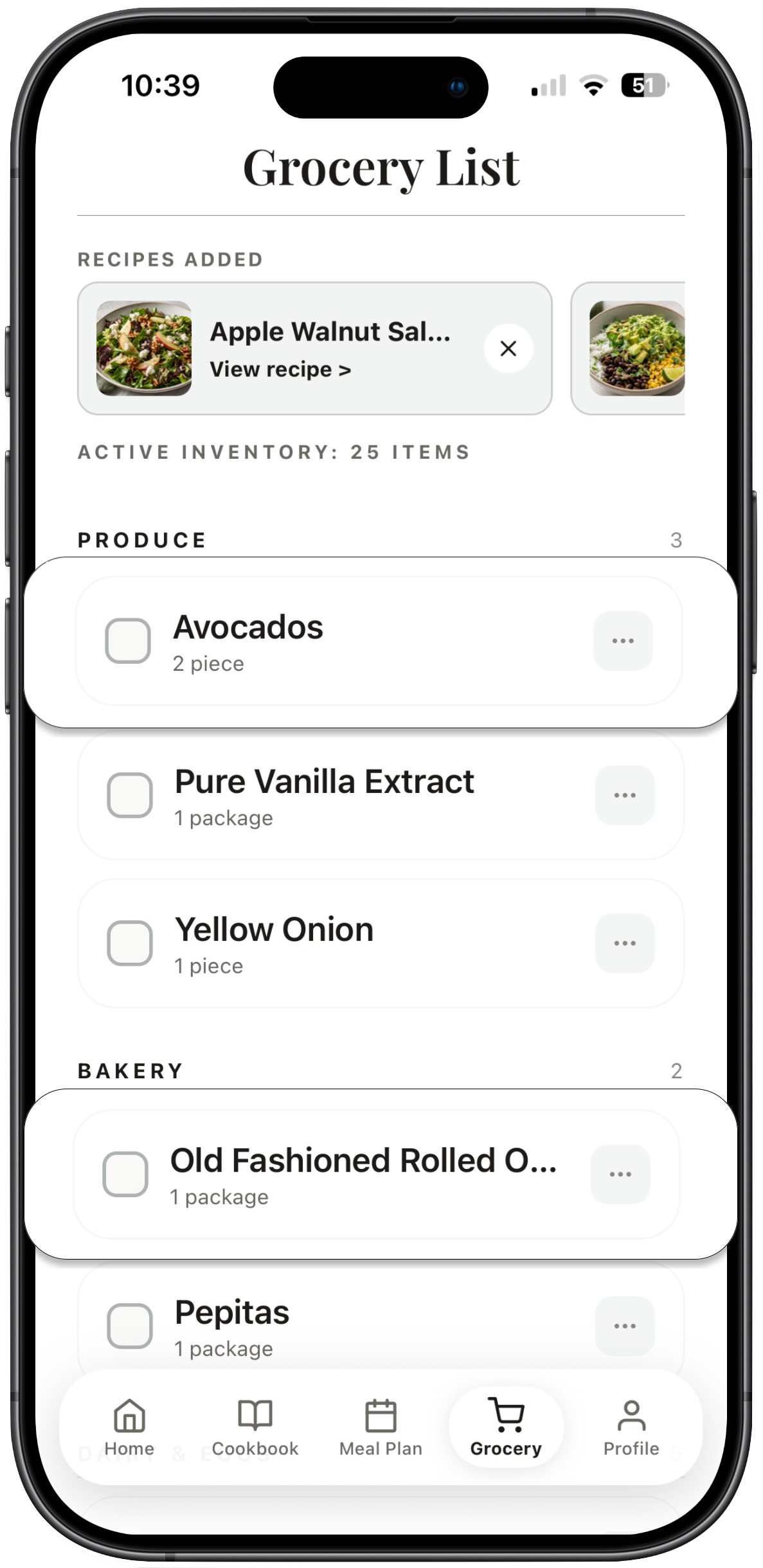
The Whisk app: grocery items organized with their source recipes.
Less copying. More getting the shop done.
01
Add ingredients from recipes
Send ingredients from catalog recipes, saved custom recipes, or your meal plan to the grocery list. When you add them from a plan, the meal’s selected servings are used.
02
Check your kitchen first
Remove ingredients you already have and add extras such as fruit, coffee, or household staples. The list can include what you need beyond the recipes.
03
Keep track as you shop
Check off items as you go. Ingredients retain their recipe connection, so removing a source recipe also removes its associated grocery items.
Your plan is a starting point for the shop
Recipe ingredients give the list a useful foundation. A quick look through the pantry and fridge helps you remove what’s on hand, while manual extras keep the list useful for the rest of your week.
A few useful answers.
Can I make a list without planning a full week?
Yes. You can add ingredients from a recipe directly, or use a meal plan when you are planning several meals.
Can I change the grocery list?
Yes. You can check off, remove, and add items. Add your own extras whenever you need them.
What happens when I remove a source recipe?
Whisk removes the grocery items associated with that recipe. Ingredients remain linked to their source so the list reflects the recipes you intend to make.
A little more know-how.
A grocery list that makes the whole shop easier ↗A small pantry that does a lot ↗Start with something delicious.
Try 15 recipes from Whisk’s free catalog, with complete ingredients and instructions you can read here.
Browse the free recipe collection ↗